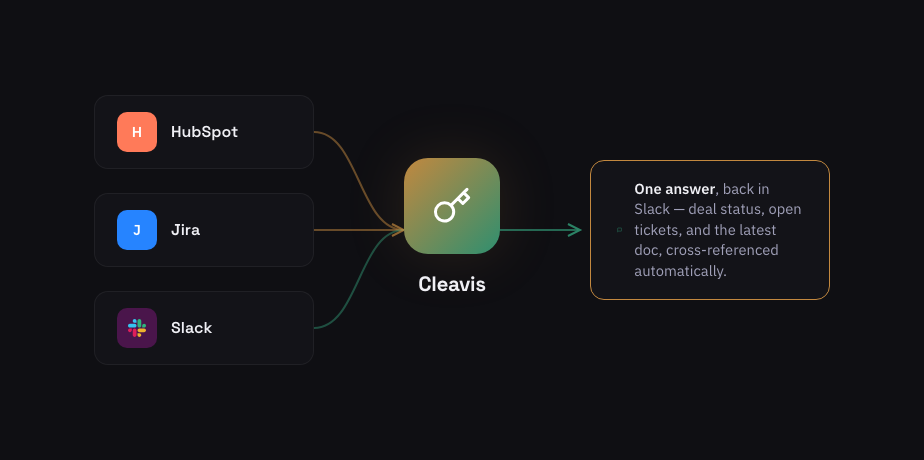
The problem: information lives in silos
A typical mid-size company uses 12-16 SaaS applications. Each one holds a piece of the picture:
- HubSpot knows the deal stage, contact history, and revenue pipeline
- Jira knows the open tickets, sprint progress, and technical blockers
- Confluence knows the specs, proposals, and internal docs
- Gmail knows the client conversations and commitments
- Slack is where your team actually works — but it knows nothing about the rest
When a sales rep asks "what's happening with Acme Corp?", they need to open 4 tabs, search 4 apps, and piece it together manually. That takes 15-30 minutes. An AI agent does it in 10 seconds.
The solution: one AI agent, one Slack message
Instead of building point-to-point integrations (Zapier-style), a modern approach uses an AI agent that:
- Lives in your Slack workspace as a bot
- Connects to your tools via whichever protocol fits — MCP (Model Context Protocol), A2A (Agent2Agent), or a direct REST integration
- Authenticates per user — each person connects their own accounts via OAuth2
- Understands natural language — no commands to memorize
- Cross-references answers from multiple tools in a single response
Real example
You ask: "@agent What's the status of the Acme deal and are there any open support tickets?"
Agent answers:
- 📊 HubSpot: Deal in Negotiation stage, €240K value, close date July 15
- 🎫 Jira: 2 open tickets — API integration (P2) and onboarding docs (P3)
- 📄 Confluence: Latest proposal updated 3 days ago by Mark
One message. Three tools. Ten seconds.
How is this different from Zapier or Slack integrations?
| Feature | Zapier / Integrations | AI Agent |
|---|---|---|
| How it works | Rule-based: "if X then Y" | Natural language: "tell me about X" |
| Cross-tool queries | One tool at a time | Multiple tools in one answer |
| Memory | None | Remembers your conversations |
| Access control | Per-integration | Per-user, per-tool, per-group |
| Setup | Build each workflow manually | Connect once, ask anything |
What about security?
This is the question every CTO asks — and the reason most AI pilots fail. An AI agent that "sees everything" is a liability. The right architecture ensures:
- Per-user OAuth2: No shared service accounts. Each user authenticates individually with each tool.
- Group-based access control: Sales sees CRM data. Engineering sees Jira. HR sees HR tools. The AI only shows what you're permitted to see.
- GDPR compliance: Any user can delete all their personal data with one command.
- Audit trail: Every query, tool call, and response is logged for compliance.
- Your infrastructure: Runs on your AWS account — your data never leaves your environment.
How to get started
The fastest path is a pilot deployment:
- Pick 2-3 tools your team uses most (e.g., HubSpot + Jira + Confluence)
- Start with 10 users — one team that feels the pain most
- Run for 30 days — measure time saved, queries answered, adoption rate
- Scale or stop — data tells you whether to expand org-wide
Ready to connect your tools?
We audit your tool stack, configure access control, and deploy a pilot in 2-3 weeks.
Book a Discovery Call